Planning methods
Time Blocking Schedule: How to Plan Your Day and Week
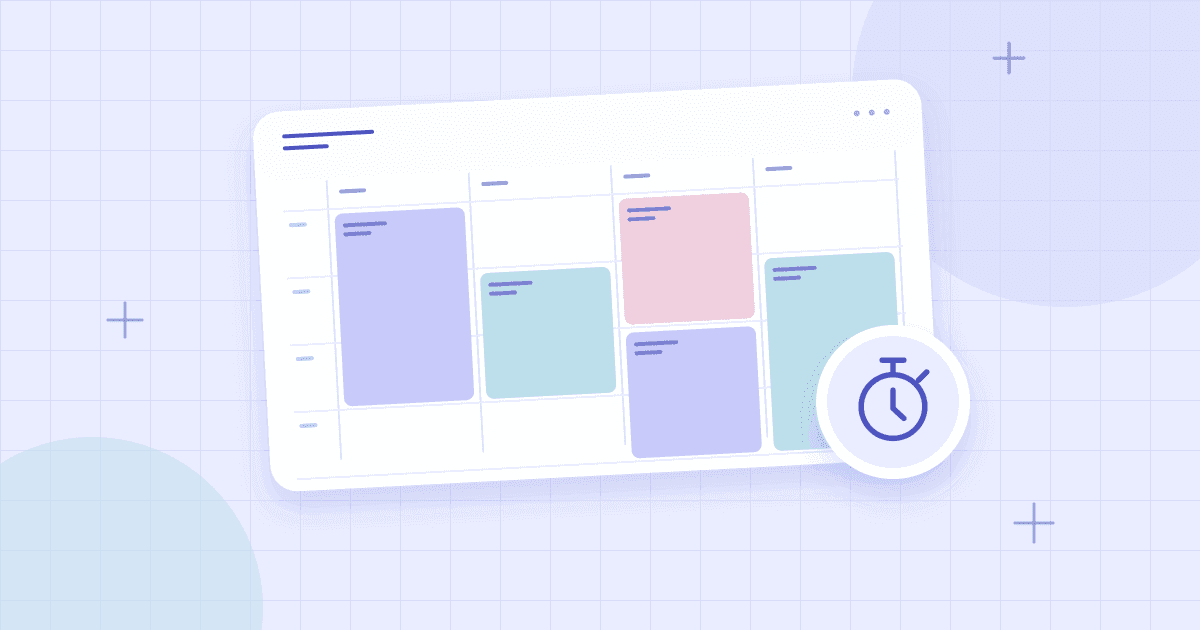
Time blocking is a planning method that gives important work a place on your calendar. Instead of hoping you will eventually find a free hour to study, write, exercise, or handle administration, you reserve time deliberately. The technique is simple, but it works best when the blocks reflect actual responsibilities and leave room for change.
This guide explains how to make a time blocking schedule online, choose useful block sizes, and recover when an unexpected task disrupts the plan. It also clarifies the difference between time blocking, task batching, and a traditional to-do list. You can create a visual timetable using the schedule builder while keeping flexible tasks in a separate list.
What Is Time Blocking?
Time blocking means assigning a defined window to a type of work or a particular task. A block might say “9:00–10:30 AM: write proposal draft,” “1:00–2:00 PM: answer messages,” or “5:30–6:00 PM: plan dinner.” The essential idea is to reserve the time before the day fills with competing demands.
Unlike a to-do list, which can grow indefinitely, a calendar has visible limits. When you place tasks on a timetable, you can discover early that your plans exceed the hours available. That makes time blocking especially helpful for people juggling classes, meetings, projects, and personal routines.
Stanford's weekly planning guide advises realistic estimates, flexible rescheduling, and buffer time. Those principles are worth keeping in mind: blocks are decisions about priorities, not promises that nothing unexpected will happen.
Time Blocking vs. Task Batching vs. Timeboxing
These methods are related but not identical. Time blocking reserves a slot for an activity. Task batching groups similar activities, such as several administrative messages, into one session. Timeboxing sets a limited amount of time for a task and treats that boundary as part of the exercise. You can combine them, but do not need to use all three.
For example, a freelancer might block 10:00–11:00 for client administration, batch several related messages in that period, and timebox the first response draft to 20 minutes. The calendar provides the structure, while batching and timeboxing guide how the block is used.
How to Make a Time Blocking Schedule
1. Inventory your real commitments
Start with appointments, school or work hours, commuting, care responsibilities, and other fixed events. These commitments determine your remaining capacity. A calendar that omits them gives a misleading impression of free time.
2. Choose your priority outcomes
Identify a few meaningful results for the week. Examples include completing a design proposal, reviewing a chapter, preparing meals, or making progress on a personal project. If every task is marked top priority, your plan offers no guidance when two things compete for the same hour.
3. Estimate block duration honestly
Use previous experience where possible. If a task has several stages, divide it into blocks with clear boundaries. Give unfamiliar or creative work extra margin. A small realistic block that starts on time is more useful than a huge vague block labeled “productivity.”
4. Reserve your focus periods first
Place demanding work where you generally concentrate best. Protect the blocks from avoidable meetings or casual switching between tasks, as far as your circumstances allow. If your mornings belong to caregiving or classes, do not force a morning-focused template onto your day.
5. Group routine administration
Emails, simple errands, updates, and small operational tasks can be handled in a batch when practical. Keeping them in one or two blocks reduces the need to interrupt larger work constantly. Urgent responsibilities are an exception; the schedule should never become an excuse to ignore something that genuinely needs immediate attention.
6. Schedule breaks and buffer blocks
Include meals, recovery, travel, and open space. The purpose is not to occupy every slot. Leave room for a meeting that runs over, an unexpected family need, or a task that takes longer than anticipated. If you run a tight schedule, even small transitions can become major sources of conflict.
7. Review and move blocks without guilt
At the end of the day, note what was completed and what needs another slot. Move unfinished work to a realistic opening; do not automatically squeeze it into a full tomorrow. The calendar should adapt to better information. Review the entire week occasionally to see recurring overload.
Example Daily Time Blocking Template
Below is one hypothetical workday. The exact hours and tasks are not meant to fit everyone.
| Time | Time block | Purpose |
|---|---|---|
| 8:30–9:00 AM | Plan and prepare | Set priorities |
| 9:00–10:30 AM | Deep work | Draft important deliverable |
| 10:30–11:00 AM | Buffer and break | Reset or handle overrun |
| 11:00 AM–12:00 PM | Collaborative work | Meetings and decisions |
| 12:00–1:00 PM | Lunch | Rest |
| 1:00–2:30 PM | Focused work | Complete second priority |
| 2:30–3:15 PM | Administration | Batch messages and updates |
| 3:15–4:00 PM | Flexible block | Catch up or begin next task |
Notice that the schedule has more than one kind of block. Focused work, collaboration, administration, rest, and buffer time all have different functions. If everything is treated as deep work, the plan will not resemble a real working day.
Weekly Time Blocking for Students and Freelancers
Students can begin with their class schedule, then place study and assignment blocks into open periods. Freelancers may begin with client calls and deadlines, then reserve uninterrupted creation time. Parents may anchor their schedule around family routines and use shorter flexible blocks elsewhere.
A weekly view is useful because it reveals whether one day contains too much demanding work while another has underused capacity. You can redistribute a reading session or project task before the week starts. For a more general overview, read how to make a weekly schedule.
How to Choose Block Sizes
Use short blocks for well-defined tasks, medium blocks for routine work, and longer periods for tasks that require sustained attention. The right boundaries depend on your work rather than a universal productivity formula. A 25-minute session can be useful for starting a difficult task, while a complex writing or design project may need considerably more time.
Do not make blocks so narrow that moving one event creates a chain reaction across the day. Equally, avoid enormous blocks with no outcome. Ask yourself whether each block gives you enough time to make meaningful progress and a clear idea of what to do first.
Common Time Blocking Mistakes
The first mistake is planning with ideal durations rather than realistic ones. The second is leaving no unassigned time. The third is using labels such as “work” without deciding what result belongs in the block. Another problem is treating a changed calendar as evidence of failure rather than new information.
If the method feels restrictive, reduce the number of blocks. Try reserving only one important focus session per day while keeping the rest flexible. Once that is useful, expand gradually. A method should earn its place in your routine through usefulness, not complexity.
Frequently Asked Questions
How do I create a time blocking schedule for free?
Use an online schedule editor or a paper grid. Enter fixed commitments first, then reserve time for priority outcomes and necessary breaks. Review and revise the blocks throughout the week.
Is time blocking the same as a daily planner?
A daily planner may contain lists and notes without assigning exact times. Time blocking specifically puts activities into reserved time windows. The two approaches can work together.
Should I plan the entire week or just tomorrow?
Use a weekly view to distribute larger responsibilities and a daily view for detailed next-day decisions. You do not need to fill every day with precise blocks seven days ahead.
What happens when a time block is interrupted?
Identify whether the task must still happen today. If so, move it to the next viable slot and adjust other work deliberately. If it is less urgent, reschedule it later without overloading tomorrow.
Can I use time blocking for studying?
Yes. Reserve sessions for specific topics, practice questions, and later review. Avoid labeling blocks only with a broad subject name. See the exam study schedule guide for that workflow.
Make your first schedule simple: two protected work blocks, your fixed commitments, and enough room for real life. Then adjust in the free schedule builder as you learn what your days actually require.