Core scheduling method
How to Create a Daily Schedule That Actually Works
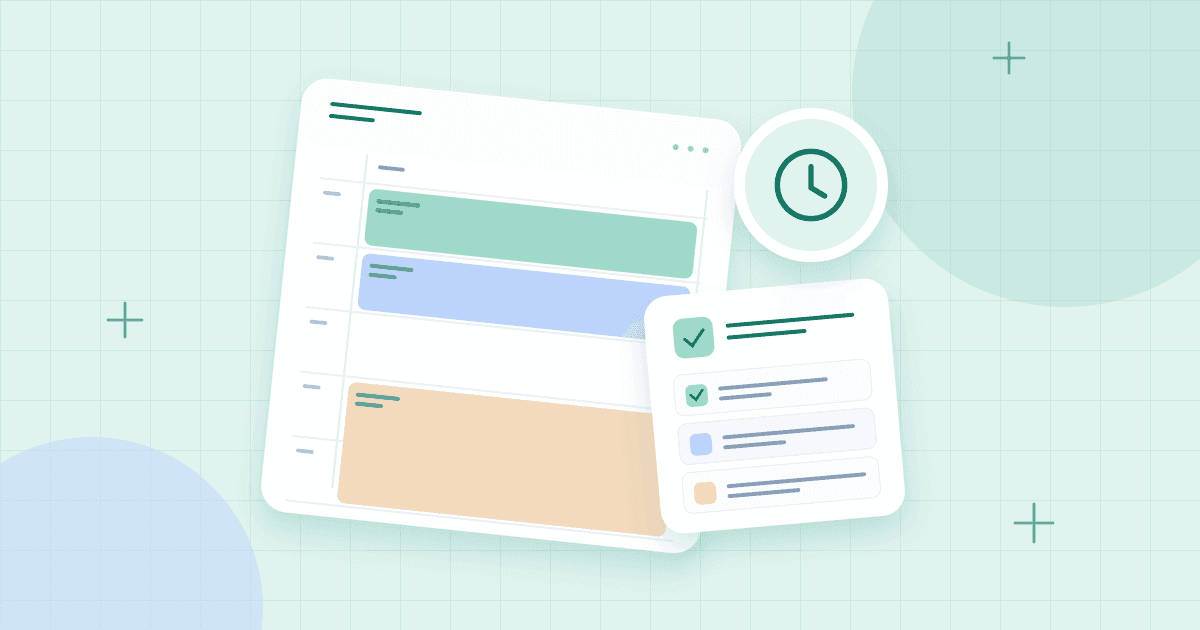
A daily schedule is not a competition to fit the most tasks into 24 hours. Its job is to help you notice what matters, decide when to do it, and preserve enough flexibility to respond to real life. When you begin with that goal, a daily schedule maker becomes more than a row of colored boxes: it becomes a practical map for the day ahead.
This guide covers an easy method for building a daily schedule online, a sample timetable, and adjustments for students, people working from home, and anyone whose days rarely go exactly as planned. If you already have a weekly timetable, use it as a starting point and zoom in on tomorrow's commitments. You can also begin from a blank layout in the schedule builder.
What Should a Good Daily Schedule Include?
The essentials are straightforward: fixed appointments, a small number of priorities, basic routines, work or study periods, breaks, and time to travel between commitments. Optional items include meal preparation, exercise, household tasks, and an evening review. The exact mix depends on your circumstances.
A schedule is not the same as a list of everything you hope to accomplish. When you record fifteen tasks without assigning reasonable durations, you are making a wish list. When you give the important tasks space on a timeline, you can see whether the day is actually possible.
Choose the right amount of detail
Some need 15-minute increments; others prefer broader morning, afternoon, and evening blocks. Start with 30- or 60-minute sections unless you have a reason to plan more precisely. Tiny time slots can create an illusion of accuracy that disappears as soon as one phone call takes longer than expected.
How to Make a Daily Schedule Online
1. Start with your non-negotiable commitments
Open a daily view and enter anything with a firm time: a meeting, class, medical appointment, work shift, pickup, or family obligation. Include the full duration. This provides an honest outline of the day before you add optional work.
2. Pick your top three outcomes
Choose a short list of results that would make the day feel worthwhile. Examples might be drafting the introduction to an essay, sending a project proposal, and shopping for groceries. Three is not a magic number; it is a useful constraint that forces you to distinguish important outcomes from background tasks.
3. Estimate how long each outcome will take
Look back at similar work if you can. If writing a report usually takes two hours, placing it into a 20-minute opening is unhelpful. Divide large tasks into smaller actions with clearer endpoints, such as finding sources, outlining sections, drafting, and reviewing. Add a little breathing room around tasks with uncertain durations.
4. Put focused work where you have energy
If you concentrate best in the morning, protect an early block for your most demanding task. If your attention improves after lunch, plan accordingly. Schedule routine emails, cleaning, or administration during lower-energy periods. What works for a friend or productivity influencer may not work for you.
5. Add transitions and recovery time
A realistic daily schedule accounts for the space between activities. Include enough time to prepare for a meeting, get to the next destination, eat, move around, or simply reset. Breaks should not be leftover scraps of the day; they are planned support for a sustainable routine.
6. Keep a flexible task list beside the timetable
Some tasks do not deserve a fixed time: buying batteries, responding to a nonurgent message, or returning a book. Put them in a checklist until a suitable opening appears. If a task becomes urgent or requires deep focus, move it into an actual time block instead of relying on memory.
7. Review the next day before going to bed
Take five minutes to look at tomorrow's calendar. Confirm any unusual commitments, move unfinished tasks into realistic slots, and make sure you have not booked the same hour twice. This is maintenance, not a reason to rebuild an entire planning system every evening.
Example Daily Schedule Template
The following work-from-home example illustrates the relationship between fixed commitments and flexible focus time. Change the hours to match your needs.
| Time | Activity | Why it is included |
|---|---|---|
| 7:30–8:30 AM | Morning routine and breakfast | A manageable start |
| 8:30–9:00 AM | Review priorities | Clarify the day's work |
| 9:00–10:30 AM | Focused project block | Protect concentration |
| 10:30–11:00 AM | Break and short tasks | Transition time |
| 11:00 AM–12:30 PM | Meetings or collaboration | Shared availability |
| 12:30–1:30 PM | Lunch and movement | Recovery |
| 1:30–3:00 PM | Second project block | Finish substantial work |
| 3:00–4:30 PM | Email and administration | Flexible responsibilities |
| 4:30–5:00 PM | Wrap-up and tomorrow's plan | Close open loops |
This is an illustrative routine, not a requirement. Adapt it to caregiving, shifts, or study.
Daily Schedules for Different Needs
For students
Add lessons and transport first. Then reserve shorter homework and revision blocks, with a clear break after school. If assignments are due on different days, use a separate homework planner to track deadlines and transfer the next action into today's schedule.
For remote workers
Protect attention from meetings scattered throughout the day. Group collaboration at predictable times when practical, and identify one or two work blocks that are not casually moved. Include lunch even if your workplace calendar does not automatically reserve it.
For parents and caregivers
Begin with predictable routines like school runs, meals, and care appointments. Then build flexible options around them. A schedule can help without pretending all caregiving needs are predictable. Broad blocks and quick-to-move tasks may be more useful than rigid minute-by-minute planning.
For shift workers
Use your actual shift times rather than adopting a conventional nine-to-five pattern. Plan sleep, travel, and meals around the shift. If your hours rotate, maintain separate daily patterns for early, late, and off days.
Daily Schedule Maker vs. To-Do List
A checklist is excellent for capturing responsibilities, especially small ones. A timetable is better for revealing competing demands on time. Use them together. For example, the checklist might contain “edit presentation, pay bill, order supplies.” The schedule might reserve 10:00–11:30 for editing and leave the two quick errands on the flexible task list.
This distinction prevents one common planning failure: recording important work but never reserving the uninterrupted time to do it. For deeper work, read our time-blocking schedule guide.
How to Adjust When Your Day Goes Off Track
First, identify what is fixed and what can move. If a meeting overruns, do not automatically sacrifice lunch or sleep to preserve an unrealistic plan. Move the lowest-priority flexible block, shorten the scope of a task, or carry it forward intentionally. A schedule should support decisions, not punish you for changes.
A second useful habit is a brief midday check. Ask whether the day's most important result is still feasible. If not, choose a smaller version. Finishing a thoughtful outline can be more valuable than keeping “write entire report” on the calendar after the available time has disappeared.
Finally, note repeated problems. If a particular task always takes longer than planned, increase its duration next time. If mornings are unpredictable, avoid putting fragile deadlines there. Your actual experience is better planning data than an idealized routine.
Frequently Asked Questions
How do I make a daily schedule for free?
Start with an empty day grid or a daily template. Add fixed appointments, reserve time for priorities, and keep flexible tasks separate. A browser-based schedule tool can make rearranging blocks easier than rewriting paper.
Is an hourly daily schedule better?
Hourly layouts are useful when timing matters. If your day is unpredictable, broader blocks may be more realistic. Choose the simplest amount of detail that helps you decide what comes next.
Should I schedule every minute?
No. Leaving space allows for transitions, breaks, urgent tasks, and delays. A fully packed timetable may look efficient but can become difficult to maintain.
How far ahead should I plan my day?
A quick review the night before or early in the morning is enough for many people. Keep the broader week visible so that today's priorities reflect upcoming deadlines.
Can a daily schedule be printed?
Yes, when your chosen tool provides printable output or supports browser printing. Review the paper orientation and text size first, especially if the layout has detailed time slots.
A daily plan should make tomorrow easier to navigate, not harder to live. Start small in the free schedule builder, test your routine for a few days, and adjust based on what actually happens.